![27067777_10155770309551084_2652624411171450813_n.png]](https://support.doradosoftware.com/hs-fs/hubfs/27067777_10155770309551084_2652624411171450813_n.png?height=40&name=27067777_10155770309551084_2652624411171450813_n.png)
System-Level Environment
Log in as admin
Upper Right Corner > Go To > Control Panel > Portal Settings > Display Setting (Right Panel)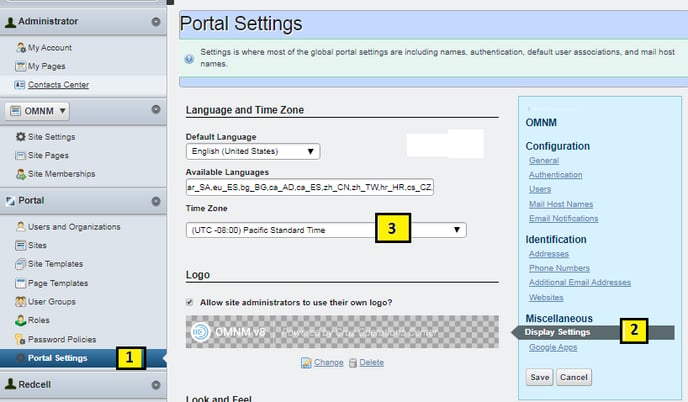
User-level Environment
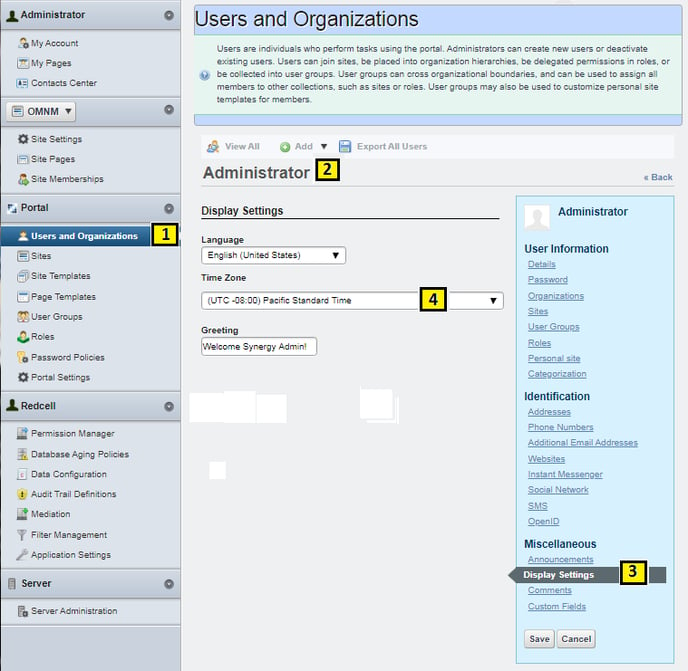
Log in a user (this is example of admin user)
Upper Right Corner > Go To > Control Panel > User and Oranganization > click on User Name > Display > Time Zone