![27067777_10155770309551084_2652624411171450813_n.png]](https://support.doradosoftware.com/hs-fs/hubfs/27067777_10155770309551084_2652624411171450813_n.png?height=40&name=27067777_10155770309551084_2652624411171450813_n.png)
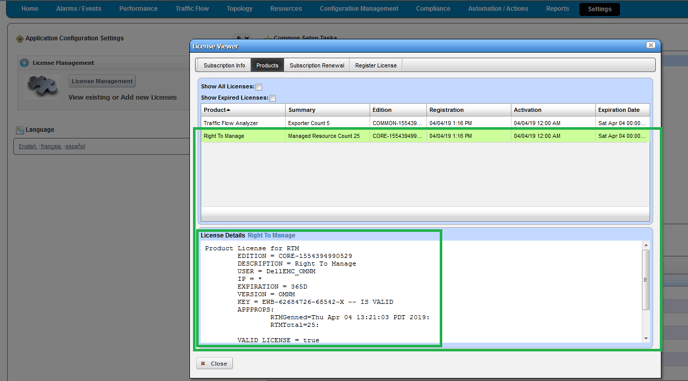
Sometimes subscription RENEWALS require a screenshot of the current license or a copy of their current license before a new one can be provided.
Go to Settings > License Management > License Viewer
Select the Products tab.
Take a screenshot and send it to your Dorado Software Account Manager or to Dorado support at support@doradosoftware.com.
Example:
Use these links to install or register a new license
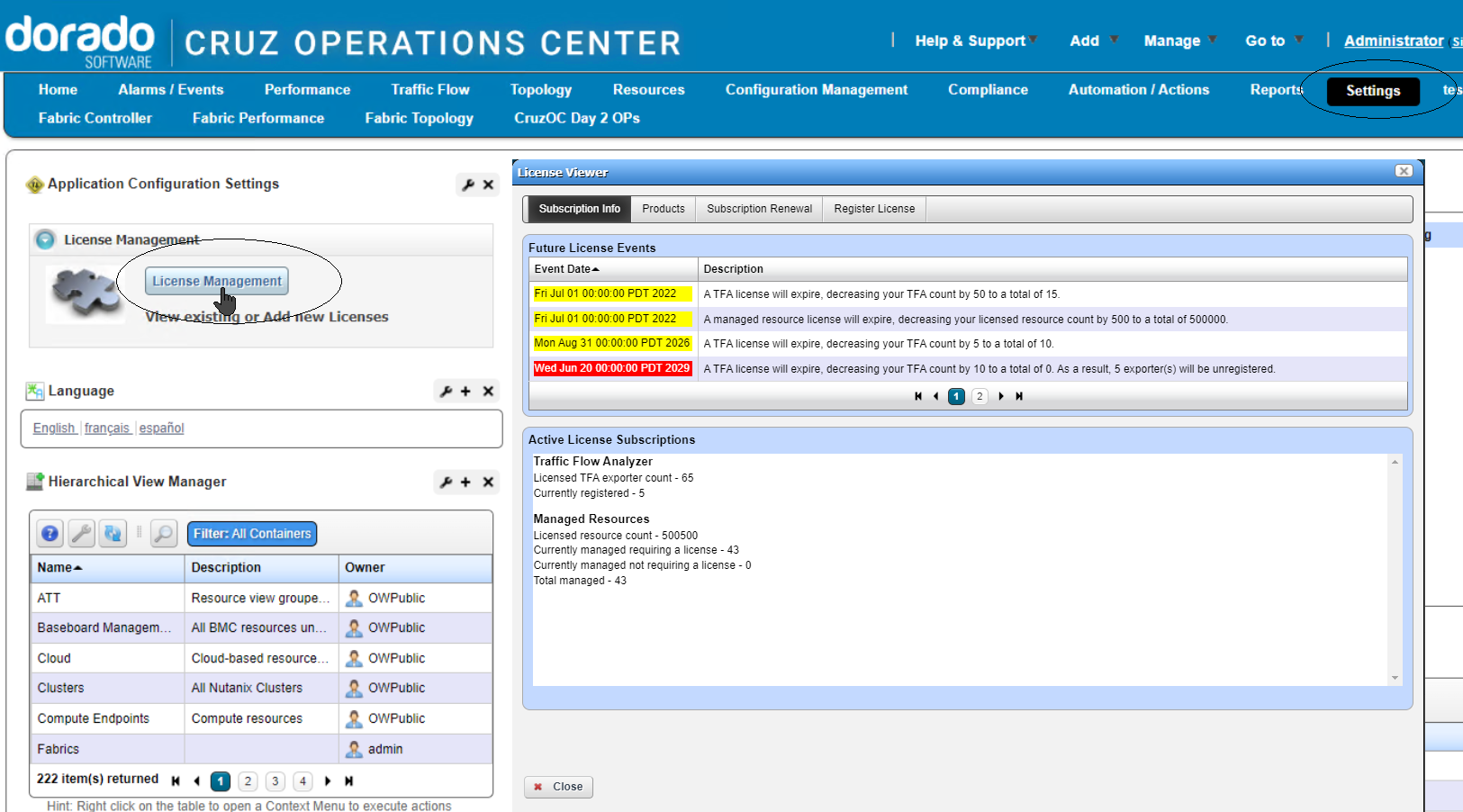
Check Subscription - Licensed device count and expiration
Settings > License Management > License Viewer
Subscription tab
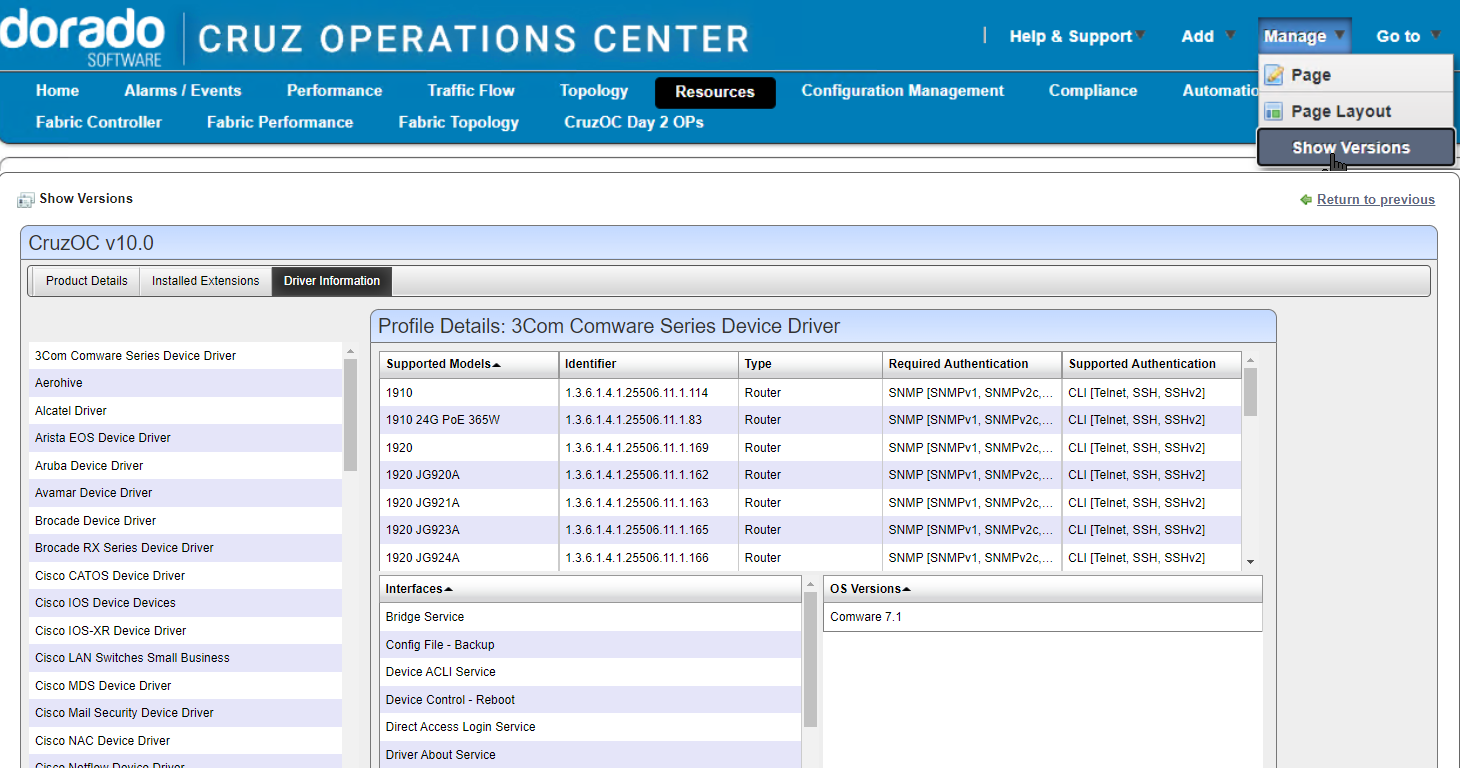
Check installed drivers or Components
Go to Manage -> Show Versions
The Product Details tab will list the software installed components. The Driver Information tab will list the supported vendors and supported models for each.