![27067777_10155770309551084_2652624411171450813_n.png]](https://support.doradosoftware.com/hs-fs/hubfs/27067777_10155770309551084_2652624411171450813_n.png?height=40&name=27067777_10155770309551084_2652624411171450813_n.png)
Modify DAP (Database Aging Policy)
NOTE: If you enable archive option, keep in mind that it will consume your hard drive space that you will need to clean-up yourself.
- These policies can be adjusted in the control panel, under Database Aging Policies.
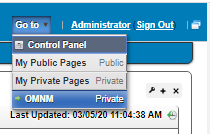
- Go to the Control Panel and Select Go to: Control Panel
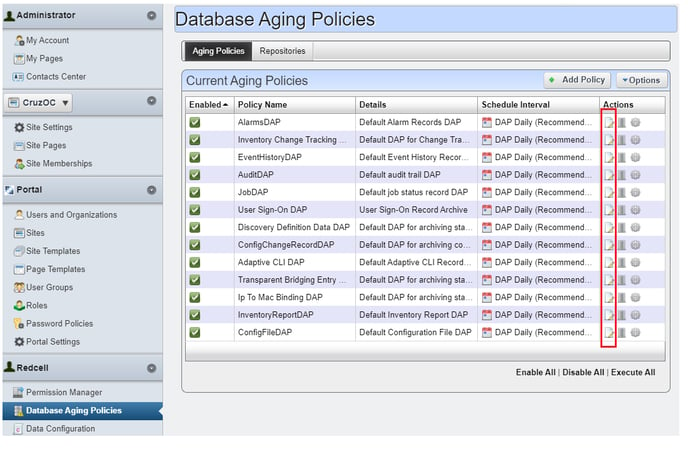
- On the left panel > select Database Aging Policies
- You can modify the DAP setting under Aging Policies Tab (Right) by using the Edit button located under Actions column
NOTE: If you enable archive option, keep in mind that it will consume your hard drive space that you will need to clean-up yourself.