- Support Portal
- Discovery
- Unsupported model
-
Getting Started
-
Docs
-
Product Overview Videos
-
Alerts
-
Product Tutorials
-
Features
- Getting started
- User Interface
- Discovery
- Monitoring
- Topology
- Configuration Management - Backup Restore, Firmware Deploy
- Alarms Events and Syslogs
- Automation and Event processing Rules
- Traffic Flow
- Reporting
- Server Management
- Systems Administration
- Actions
- Installation and Upgrade
- Hyper Converged Infrastructure
- Video Archive
- Cruz Edge Orchestrator
- Compliance
- Hierarchy Views
- User Roles and Permissions
-
Troubleshooting
-
Integration
-
Discovery
-
Performance Monitoring
-
System Administration
-
Services
-
Fabric
How to collect unsupported model and sysoid?
This article will show you how to collect unsupported device model and sysoid
Click on "Add" and select "Applications"
Search for network tools and click on Add button
Refresh the page
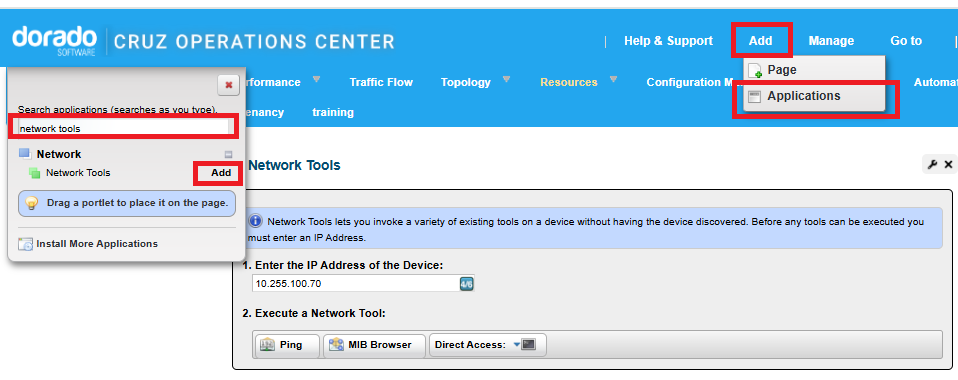
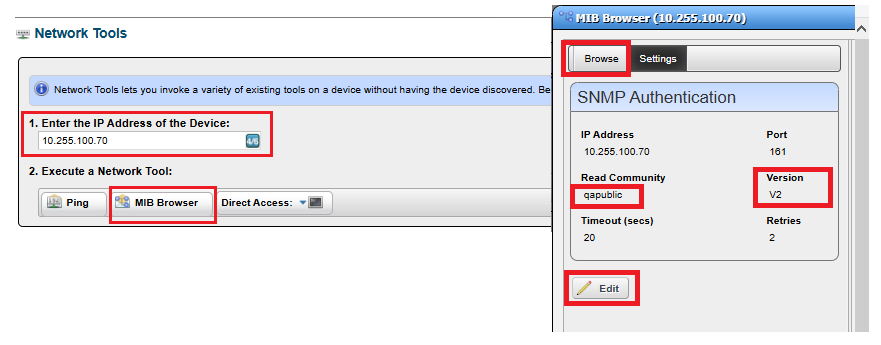
Type in IP address of the device and click on MIB Browser button
Click on Edit button and provide correct SNMPv2 or SNMPv3 information and save
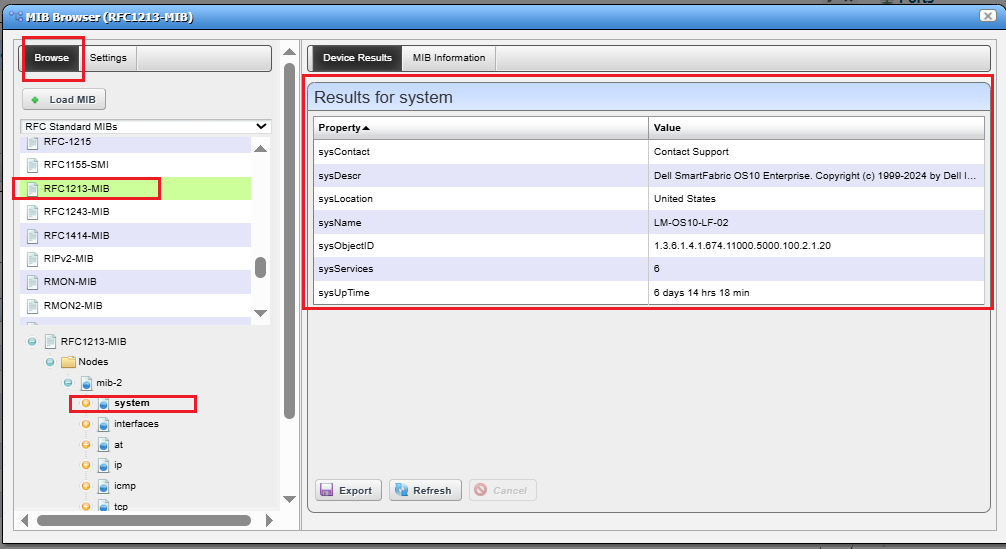
Click on Browse tab
In Browse section navigate and select RFC1213-MIB - NOTE in some applications this mib is located in RC section located in drop down
Expand MIB, Expand Nodes, Expand mib-2 and left click on system
Please send us the device results with model information